



How do you observe children while they're busy, and assess later?
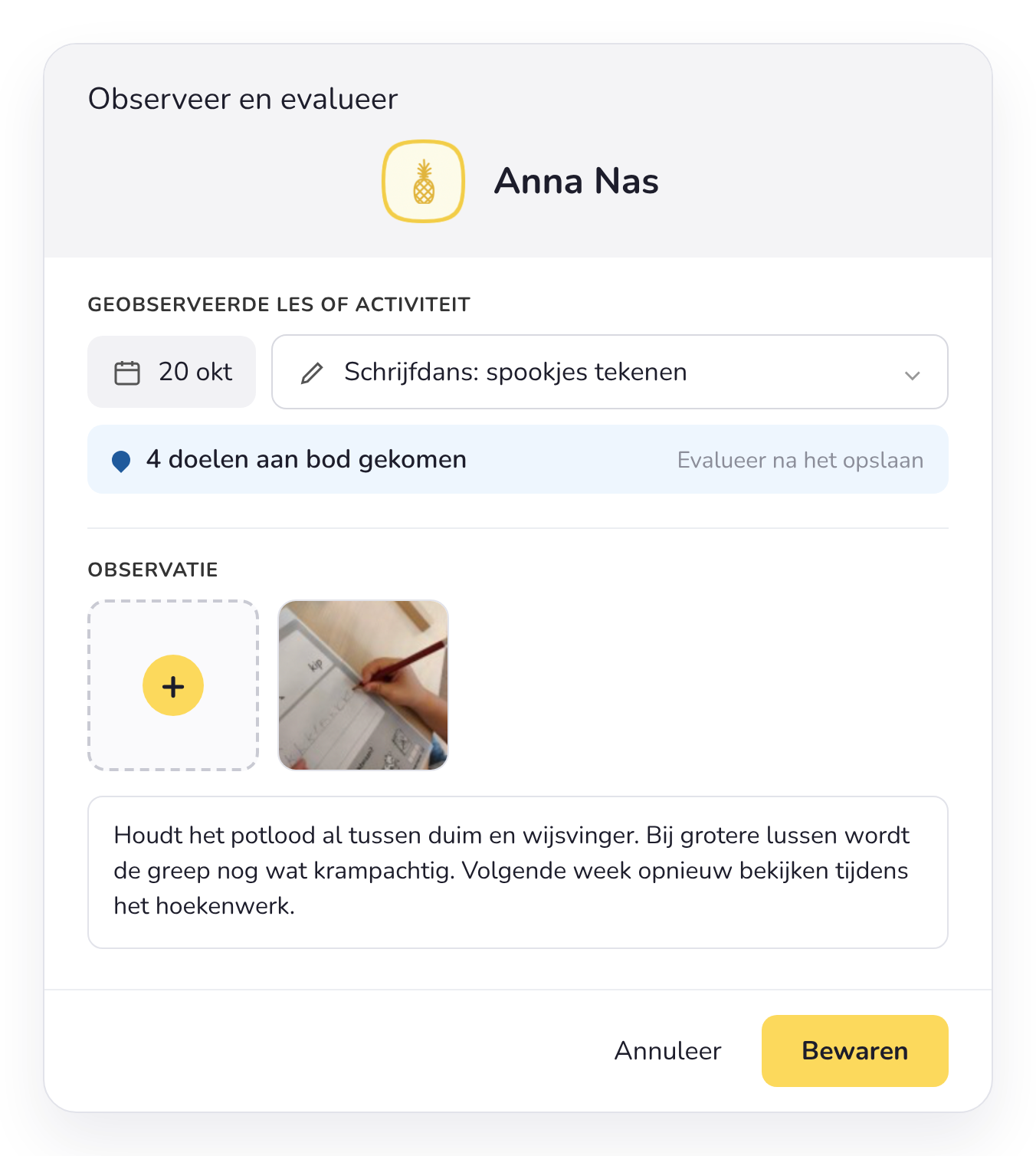
Choose a child and add a photo to the activity. The photo is automatically added to the linked learning goals.
In 4 steps
How to go about it
Step 1
Set your weekly goals
Choose your key learning goals for the week: the goals the children are working on this week.
More about goals and curricula →Step 2
Link them to your activities
Link your weekly goals to the activities in your planning. That way you know what to look for in every activity.
Step 3
Use the choice board
Children choose their own activity on the choice board. How long they choose each activity is tracked automatically.
To the digital choice board →Step 4
Observe now, assess later
On your smartphone or tablet, choose a child and add a photo to the activity. Children can also take a photo of their own work. Assess later, from the daily or weekly goals overview.
Tip: observe more objectively. Write down what you see, not what you think. Link every observation to a concrete goal and look at each child several times, during different activities.
From the classroom
“My digital choice board turns my children into active partners in what I offer in class. They choose, play, reflect and give truly meaningful feedback. And thanks to the photos with my observations, I have a valuable tool for parent-teacher meetings.”
Joke Claes
Teacher, final year of preschool, and preschool policy coordinator
Frequently asked questions about observing
What teachers often ask us about observing in the preschool classroom.
Can I add photos to an observation?
Yes. A photo often says more than a long note. Children can also take a photo of their own work when they are finished.
Does it work on a tablet in the classroom?
Yes, you can record observations on a tablet, a smartphone or a computer.
Can I link observations to development goals?
Yes. You link goals to your themes, lesson plans and activities, and therefore also to the observations you make during them.
How do I keep track of 20 children without loose notes?
You record observations digitally during play. The choice board automatically registers who plays where and for how long. Afterwards, you browse through everything you collected per child.
Which app do I use to observe young children?
Smart Symbols is made for preschool teachers. Observing, planning and assessing are combined, so you don't have to work with loose sheets of paper or different programs.
Can't find your question?



Try it with your own class
Test Smart Symbols for free and capture your first observations during free play.