



How do you quickly see where your class, or one child, stands?
In the app
See how your activities are received, in your class and per child
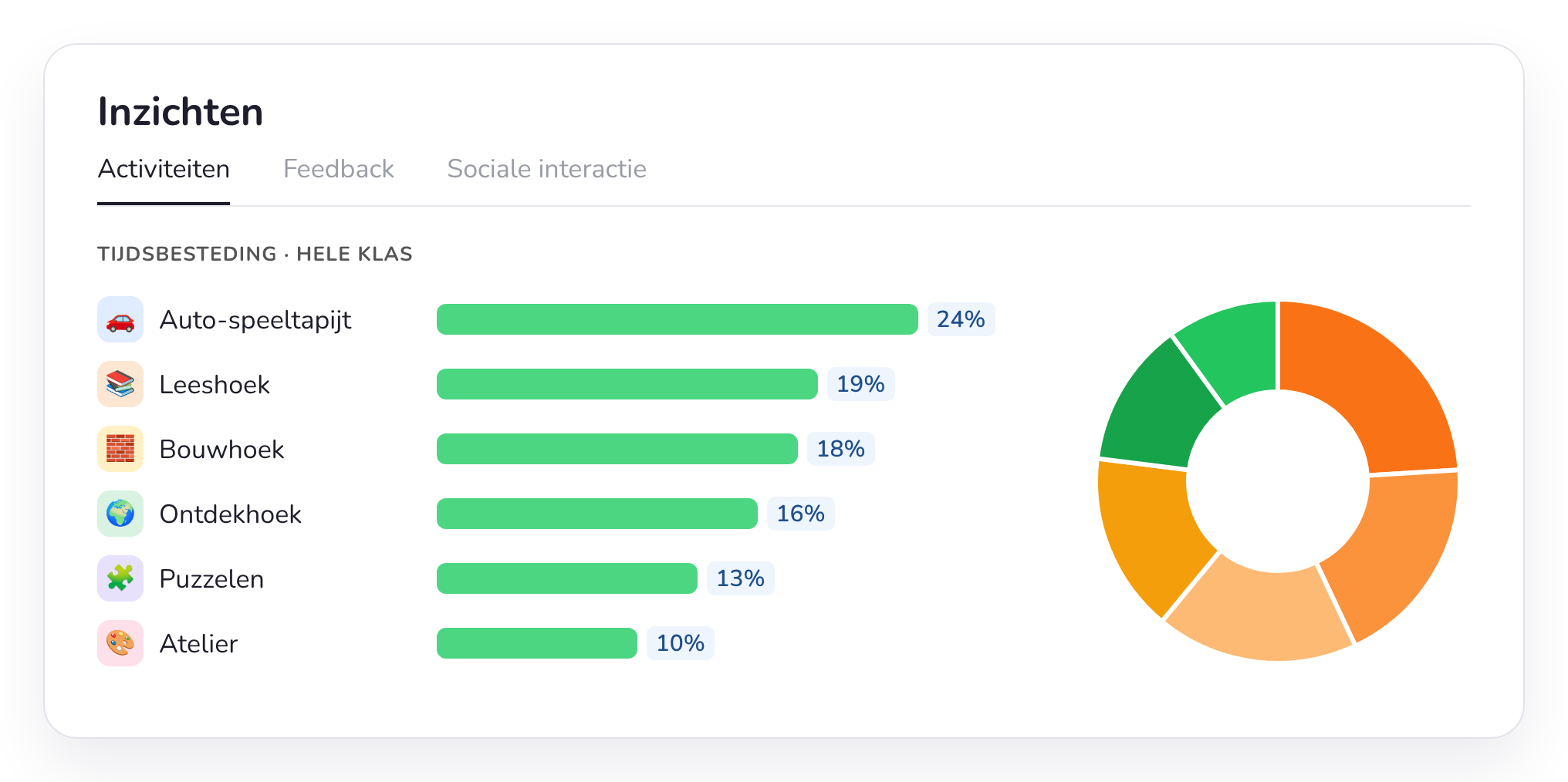
Choose a period or filter by pupil and instantly see how much time a child spends per corner or activity. Switch to feedback or social interaction for a different view of your class or child.
The whole class
What you learn about your class or child
Time spent
Where does the time go?
See what share of time goes to each corner or activity, in total or on average per session, per child or at class level.
Progress
Filter by period
How does the time spent on activities evolve? Select a period, such as a theme or a month, and see how that time changes.
Adjust
Adapt what you offer
Does a corner or activity stay empty, does a small group always choose the same thing, or is there often negative feedback? You immediately see where to adjust your offer or your support.
Playing together
Who plays with whom?
An overview shows which children often play together during choice activities.
More about social interactions →Reflect
Look back together
With the reflection board you look back on the day with the children: what did they enjoy, what was difficult, who divided their time well?
To the reflection board →Parent contact
Ready for parent meetings
View one child's observations, photos and goals together and show parents concretely how their child is growing.
To pupil tracking and parent meetings →
From the classroom
“Since I started using Smart Symbols, my planning load has noticeably decreased. I put my weekly plan together incredibly fast. The biggest added value is the insight into play behaviour: I immediately see which learning corners are popular, where adjustments are needed and how the children spread out.”
Lieselotte Simons
Teacher, final year of preschool, GO! De Uilenboom
Frequently asked questions about the class profile
What teachers often ask us about the insights into their class.



Curious about your own class profile?
Test Smart Symbols for free and after a few weeks see how your class spends its time.