



How do you work goal-oriented with the new Flemish minimum goals?

1
2
3
4
5
1
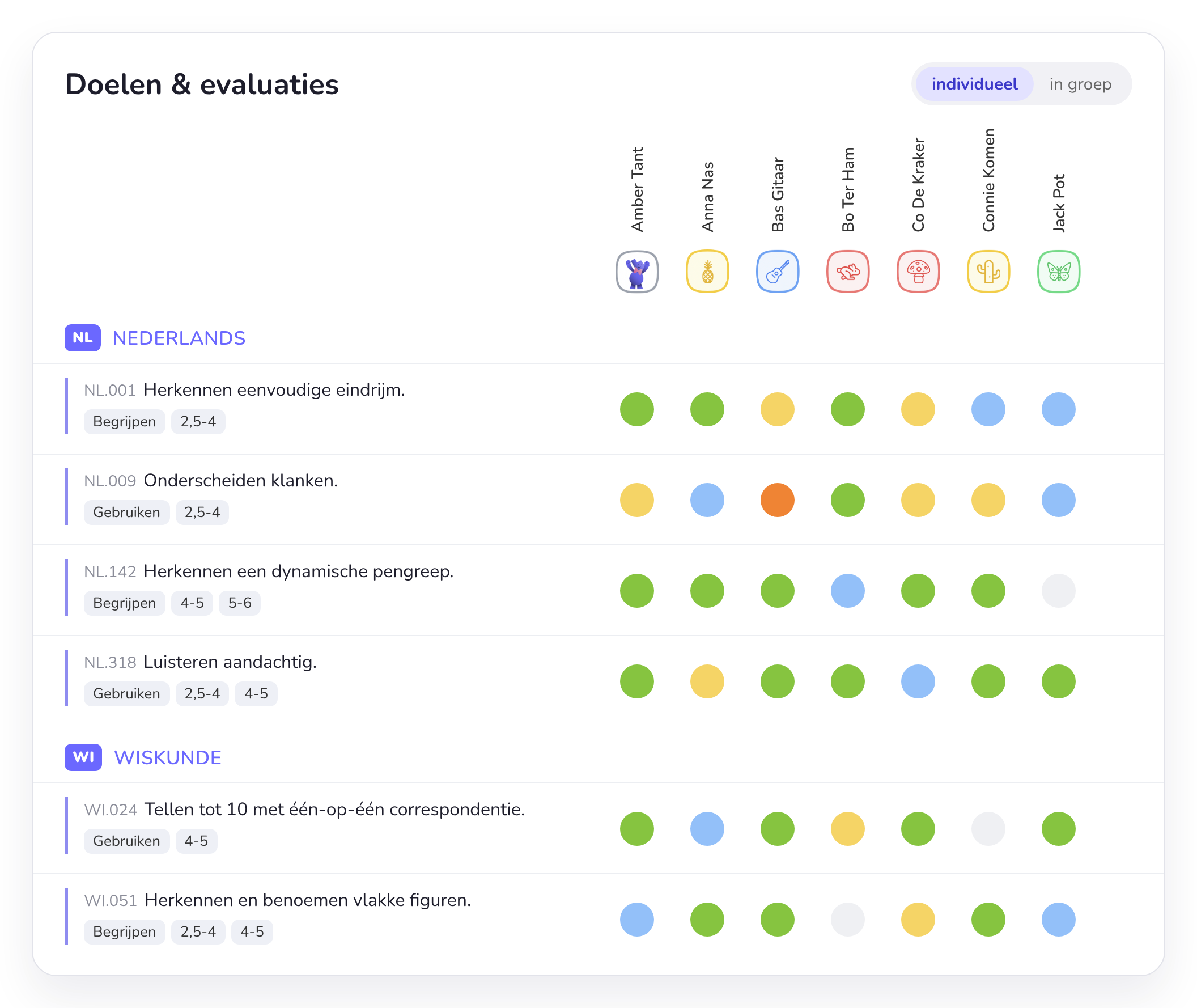
Per learning area. The goals come straight from your curriculum: Op.Stap, GO! or Leer Lokaal.
2
Age and level. For each goal you see which age it is meant for and at which level (understanding, applying).
3
Every column is a child, recognisable by their own symbol.
4
One click per assessment. The colour immediately shows who has mastered a goal and who needs a bit more practice.
5
Individually or as a group. Assess a goal for one child or for the whole group at once.
Working with goals
From goal to lesson and back
Smart Symbols supports you at every step: planning, teaching, observing and assessing.
Step 1
Find goals
The navigator helps you quickly find the right goals and translate them into your daily classroom practice.
Step 2
Choose annual goals
Set up your annual goals, so you find relevant goals straight away and keep an overview of the whole school year.
Step 3
Link them to your planning
Link goals to theme weeks, lesson plans and activities, and focus goals to your theme periods.
Go to the lesson plans →Step 4
Assess the way that suits you
Start from the daily or weekly goal overview, from your observations, or assess right away during the activity.
How to observe during free play →Overview
Which goals were covered?
See at a glance which curriculum goals were and were not covered, and which goals a child has already reached.
School team
Make agreements together
The administrator sets school-wide assessment levels and annual goals per class, so every class works from the same agreements.
More for schools →Curricula
Your curriculum is already included
KOV
Op.Stap
The curriculum of Catholic education in Flanders, with the new minimum goals.
Watch the webinar on Op.Stap in Smart Symbols (in Dutch) →GO!
GO! Navigator
The curriculum of GO!, the education network of the Flemish Community.
Go to the webinars →OVSG
Leer Lokaal
The curriculum of city and municipal schools in Flanders.



Plan with goals from your own curriculum
Test Smart Symbols for free and link your first goals to your theme week.